
Create Stunning Visual Stories: Collage Widget to Seamlessly Combine Multiple Images into One Artwork
Elevate Visual Messaging with the Collage Widget
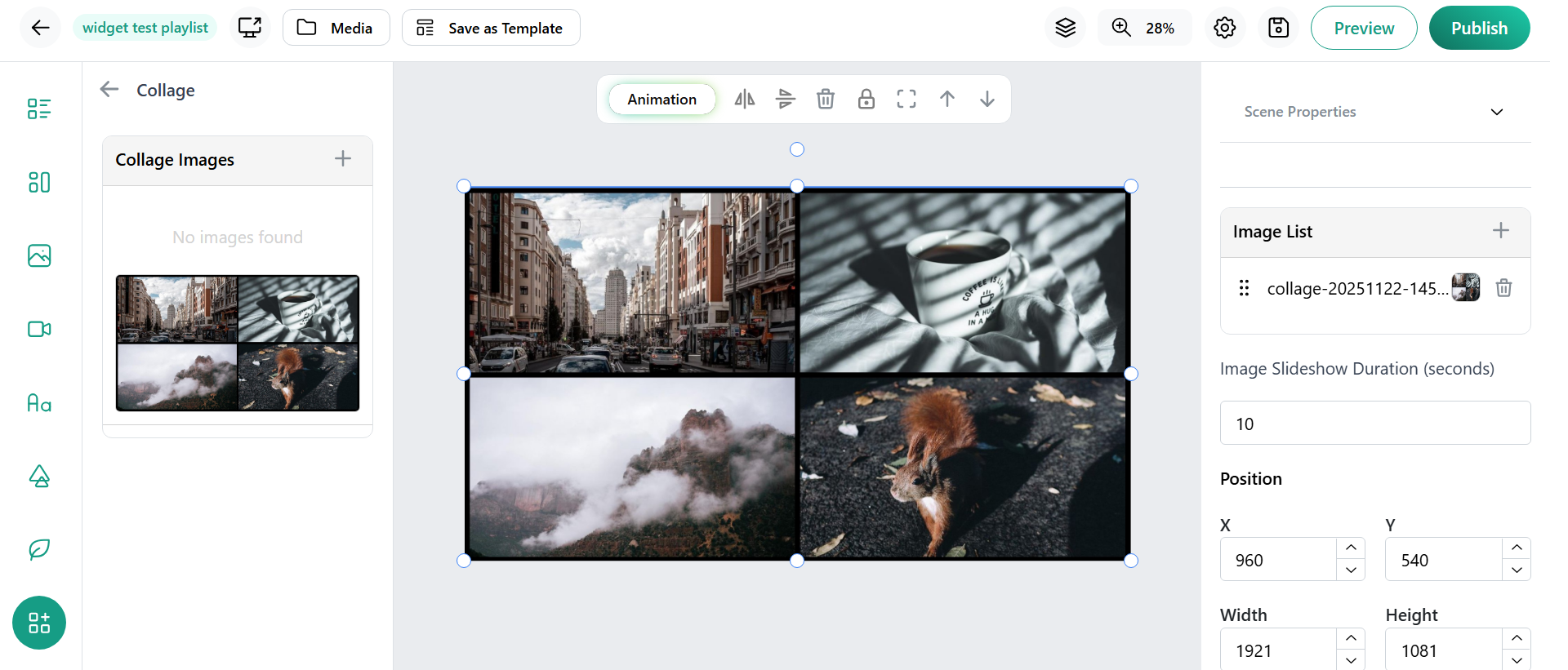
The Collage Widget is designed to bring multiple images together into a unified, eye-catching collage that enhances your digital signage’s storytelling power. Instead of displaying several separate images, the widget intelligently arranges your selected photos into a beautifully crafted composition that can be used as one image in your content layout.
Key Features of the Collage Widget
- Multiple Image Selection: Choose various photos from your library or uploads to include in the collage creation process.
- Automatic Collage Generation: The widget intelligently arranges images into artistic templates, saving you effort and ensuring professional design.
- Customizable Layouts: Pick from different collage styles and patterns to match your campaign theme or brand style.
- Seamless Integration: Use the generated collage as a single image block within your digital signage layouts.
- Adjustment Controls: Resize, reposition, or tweak the collage to fit any screen size or location perfectly.
- Dynamic Updates: Easily update individual images in the collage by re-uploading or swapping photos while maintaining the collage layout.
- Brand Consistency: Add overlays, borders, or customized frames to match branding guidelines effortlessly.
- Enhances Engagement: Collages provide richer visual interest compared to single images, drawing more attention and storytelling impact.
How to Implement the Collage Widget
- Log into Studio.Amsdin.com : Access your digital signage design dashboard.
- Select the Collage Widget: Locate and add the Collage Widget to your content layout from the widget library.
- Upload or Select Images: Choose multiple images from your library or upload new photos to include in your collage.
- Choose a Collage Layout: Pick from available collage templates or styles to shape how your images are arranged.
- Customize Collage: Adjust size, spacing, and optional frame/border styling to fit your digital signage design needs.
- Preview and Adjust: Preview the collage in your layout and make any positioning or scaling changes as necessary.
- Publish: Save and deploy your content to digital signage screens with the new collage integrated.
- Update Easily: Change or refresh images within the collage anytime to keep visuals fresh without recreating the entire layout.
Benefits for Businesses and Organizations Using Table Widgets include:
- Organized Data Presentation: Table widgets enable businesses to present complex data such as schedules, inventories, or event details clearly and professionally, enhancing communication both internally and with customers.
- Efficiency and Time Savings: Automating the upload and update process (via Excel files) reduces manual effort, speeds up data management, and minimizes errors.
- Enhanced Engagement: Scrollable and searchable tables allow viewers to easily find the information they need, leading to improved user satisfaction and interaction.
- Brand Consistency with Custom Themes: Multiple color theme options allow businesses to align tables with their brand identity, ensuring a cohesive visual experience across signage.
- Multi-Location Uniformity: Consistent presentation of data across multiple screens and locations strengthens messaging and reinforces professionalism.
- Flexibility Across Industries: Useful in retail, hospitality, corporate, education, and events for displaying menus, rosters, product lists, schedules, and more.
- Scalability: Supports growth by enabling rapid updates and centralized management across a network of screens without additional load on staff.
- Improved Decision-Making: Real-time or regularly updated data presentation helps staff and customers make informed decisions promptly.
Conclusion
The Collage Widget revolutionizes visual content creation by allowing effortless combination of multiple images into a single, stunning collage. It maximizes space efficiency and visual impact, making digital signage more engaging and storytelling-driven. With flexible layouts, brand customization, and easy updates, this widget empowers businesses to present vibrant, multifaceted visuals that resonate with their audience and elevate overall communication.