
Modern Digital Menu Board Widget for Dynamic Restaurant Displays
Digital Menu Board Widget for Digital Signage Software: How It Works, Features & Use Cases
Digital menu boards have become an essential part of restaurants, cafés, bakeries, and QSR outlets. They help businesses present menu items clearly, update prices instantly, and highlight specials with visual appeal. The Digital Menu Board Widget in digital signage software makes this process simple, fast, and fully customizable—allowing you to design stunning menus without technical skills.
In this blog, we’ll explore what the Digital Menu Board Widget is, how it works, its benefits, and why it’s an important tool for modern digital signage.
What Is the Digital Menu Board Widget?
The Digital Menu Board Widget is a built-in feature that allows users to create category-wise menus (e.g., Appetizers, Main Course, Desserts) and add items such as food names, descriptions, images, prices, and availability. This widget ensures restaurants can manage menus visually and publish them on digital screens instantly.
Whether you’re designing a festive menu, promotional dishes, or regular listings, the widget helps you create clean, structured, and appealing menu boards.
How the Digital Menu Board Widget Works
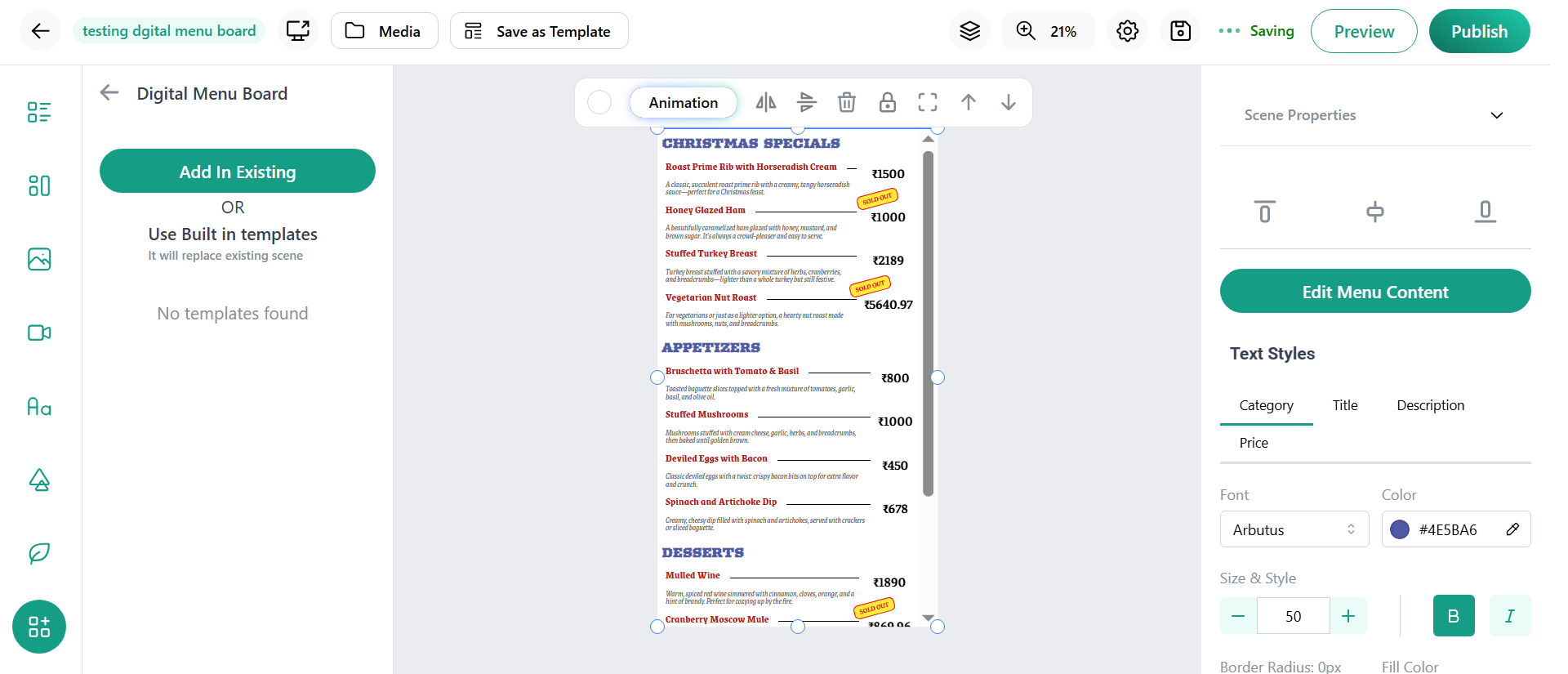
Based on the interface shown in the image, here’s how it works:
- Go to the editor inside your digital signage software.
- Choose the Digital Menu Board Widget from the widget selection.
- Create menu categories such as Appetizers, Christmas Specials, Desserts, etc.
- Add items inside each category including name, item details, images, tags, and price fields.
- Choose price type (1-price, 2-price, or 3-price options depending on portion sizes).
- Set availability to Available or Sold Out using the toggle button.
- Rearrange items or categories using the drag-and-drop handles for perfect layout organization.
- Click Preview to see how your menu board looks live.
- Publish the layout to display your menu in real time across your digital signage screens.
This streamlined workflow allows restaurant owners or managers to update menus within minutes—no design skills required.
Key Features of the Digital Menu Board Widget
- Category-Based Menu Management
Organize your menu into sections for easy browsing and clean visual structure.
- Multiple Price Options
Support for one-price, two-price, and three-price formats—ideal for small, medium, and large portions.
- Availability Toggle
Mark items as Available or Sold Out instantly to avoid customer confusion.
- Item Image & Description Support
Add photos, descriptions, and tags to make your menu more appealing and informative.
- Drag-and-Drop Interface
Easily reorder categories and items for better menu flow.
- Instant Publishing
Changes update on all digital screens in real time—perfect for busy kitchens and dynamic pricing.
Use Cases for Digital Menu Board Widget
Restaurants & Cafés
Display main menus, combo meals, seasonal specials, and chef recommendations.
Bakeries
Showcase daily fresh bakes, pastries, cakes, and festive ranges.
QSRs & Fast-Food Outlets
Highlight fast-moving items, upsell beverages, and promote special deals.
Food Courts
Display vendor menus clearly with images and multi-price options.
Bars & Lounges
Present drink lists, happy hour prices, and premium selections.
Benefits of Using the Digital Menu Board Widget
- Easy to manage, even for non-technical users
- Real-time updates across all screens
- Visually appealing presentation with images and structured layout
- Reduces printing costs and menu maintenance effort
- Helps highlight promotions and limited-time offers
Conclusion
The Digital Menu Board Widget is a powerful tool for modern food businesses using digital signage. With category-based organization, customizable pricing, item availability, and real-time updates, this widget simplifies menu creation and enhances customer experience. Whether you're updating daily specials or showcasing festive dishes, the workflow is smooth, quick, and efficient—making digital menu management easier than ever.