
Timer Widget for Digital Signage: How It Works, Features & Use Cases
Timer Widget for Digital Signage Software: Create Dynamic Countdown & Real-Time Displays Easily
Digital signage has become an essential tool for businesses, events, restaurants, retail stores, schools, and corporate environments. Among the many powerful features inside modern digital signage software, the Timer Widget stands out as one of the most versatile and attention-grabbing elements you can add to your content.
In this blog, we’ll explore how the Timer Widget works, why it’s useful, and how creating dedicated pages for editor widgets improves both usability and SEO for your digital signage platform.
What Is a Timer Widget in Digital Signage?
A Timer Widget is a built-in tool inside digital signage software that allows users to display countdowns, stoppages, and real-time timers directly on their screens. You can use it to show:
- Countdown to an event
- Time left for a sale or offer
- Break timers during meetings and presentations
- Cooking or service time in restaurants
- Session timers in gyms, studios, or training centers
- Prayer, break, or shift-change countdowns in workplaces
A well-designed timer instantly grabs attention, making your screen content more interactive and purposeful.
Key Features of the Timer Widget in Digital Signage
The Timer Widget inside digital signage software typically includes:
- Countdown Timer – set a specific time and let it count down
- Count-up Timer – track how much time has passed
- Auto-Start Control – start when the screen loads or manually
- Custom Fonts & Colors – match your brand or theme
- Flexible Placement – add timer anywhere in the layout
- Animations & Transitions – create a smooth visual effect
- Background Options – solids, gradients, or transparent
- Loop or Reset Options – perfect for recurring sessions
These customization options help you design the exact timer your content needs.
Popular Use Cases of the Timer Widget
- Restaurants & Cafés
Use countdown timers to show order preparation time, kitchen timers, or promotional countdowns like “Happy Hour Ends in 10:00”.
- Gyms & Fitness Studios
Display session timers, rest periods, or high-intensity training countdowns.
- Corporate Offices
Use timers for meeting rooms, interview sessions, or break reminders.
- Events & Conferences
Show countdowns for speaker sessions, session changes, or competition timing.
- Retail Stores
Create urgency with sale countdowns such as “Flash Sale Ends In: 05:00”.
How the Timer Widget Works
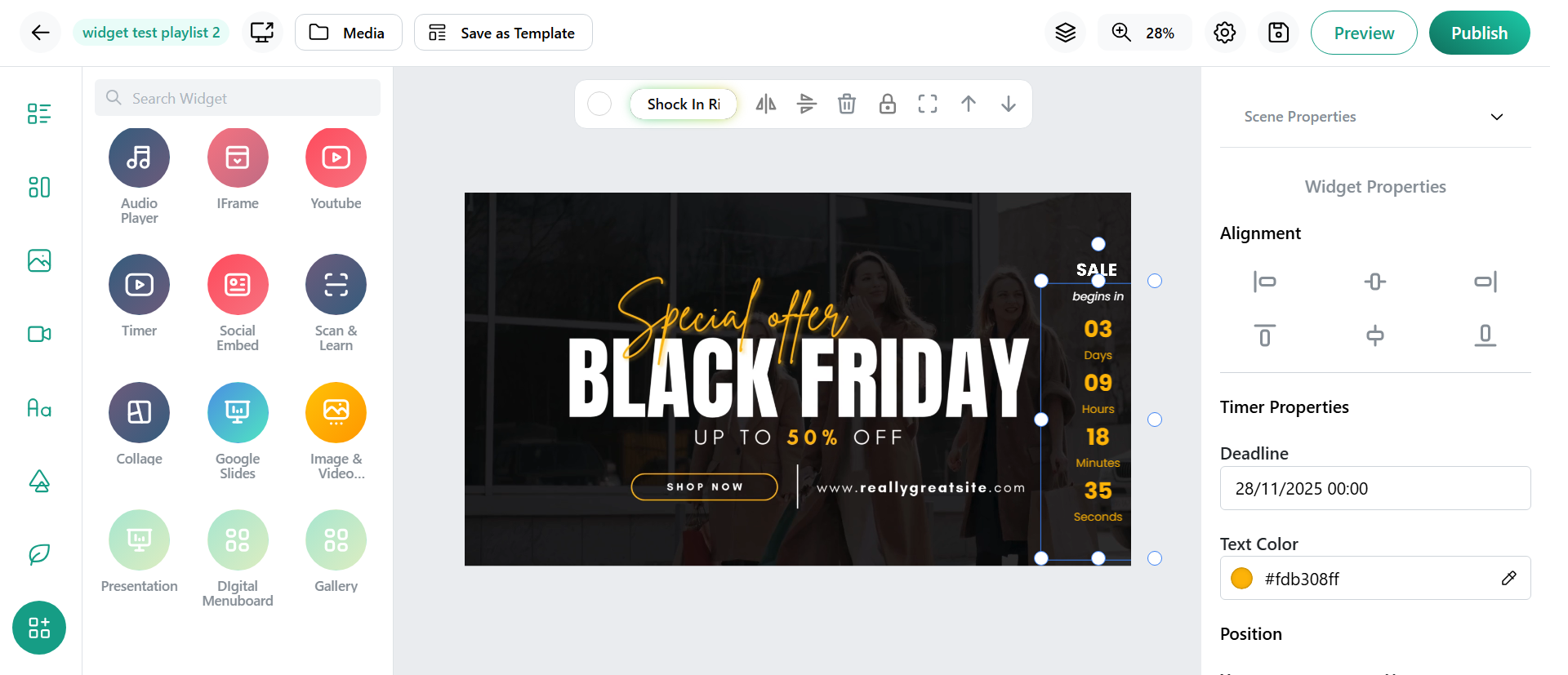
- Log in and open your layout editor.
- Select the Timer Widget from the editor panel.
- Enter the desired start time or duration.
- Customize the timer’s font, color, size, and background.
- Drag and position the timer anywhere on the layout.
- Preview the timer to check its behavior before publishing.
Why a Timer Widget Enhances Your Displays
When integrated with digital menu boards or presentation slides:
- Timers guide customer expectations
- They create urgency and boost engagement
- They improve the flow of sessions or screen content
- They visually enhance your digital signage layout
A timer adds a professional, dynamic touch to any digital display.
Conclusion
The Timer Widget is a powerful and essential feature in digital signage software, helping users create clear, dynamic, and attention-grabbing countdowns or time-based displays. Whether used for events, reminders, promotions, or session timing, it adds strong visual impact and enhances the effectiveness of any digital content. By making timers easy to customize and integrate into different layouts, the widget allows businesses to deliver more engaging, organized, and interactive screen experiences.