
iFrame Widget for Digital Signage: Embed External Web Content Seamlessly
Unlock Dynamic Content with the iFrame Widget
The iFrame Widget is a versatile tool that allows digital signage creators to embed external web pages, dashboards, social media feeds, and interactive content right into their signage displays. By using a simple URL, the widget loads and displays remote content seamlessly within any layout, enhancing the breadth and depth of your digital messaging.
What is the iFrame Widget?
An iFrame (inline frame) is an HTML element that lets you embed another webpage inside your current page. The iFrame Widget in digital signage platforms like Studio.Amsdin.com leverages this technology to display live web content such as news widgets, weather services, live streams, or custom web apps directly on signage screens.
Key Features
- Easy URL Embedding: Insert any public URL, and the widget displays it within the signage layout.
- Responsive Sizing: Adjust width, height, and aspect ratio to fit any screen size or layout configuration.
- Live Content Display: Show always-updated web pages or dashboards without manual content refresh.
- Interactive Content Support: Embed web-based interactive tools like polls, forms, or real-time data visualizations.
- Customizable Frame Settings: Configure border styles, scrolling behavior, and sandboxing options for security.
- Cross-Platform Compatibility: Works across all screen types and operating systems supporting web standards.
- Flexible Integration: Use alongside other multimedia widgets for rich, mixed-media digital signage.
Benefits for Users and Businesses
- Increases content flexibility by integrating diverse online resources and services.
- Saves time and effort by leveraging existing web tools instead of recreating content.
- Enables real-time information display, crucial for news, weather, social media, and analytics.
- Supports interactive campaigns and enhances audience engagement through embedded web apps.
- Enhances branding by incorporating third-party or custom web content seamlessly into digital signage.
How to Use the iFrame Widget
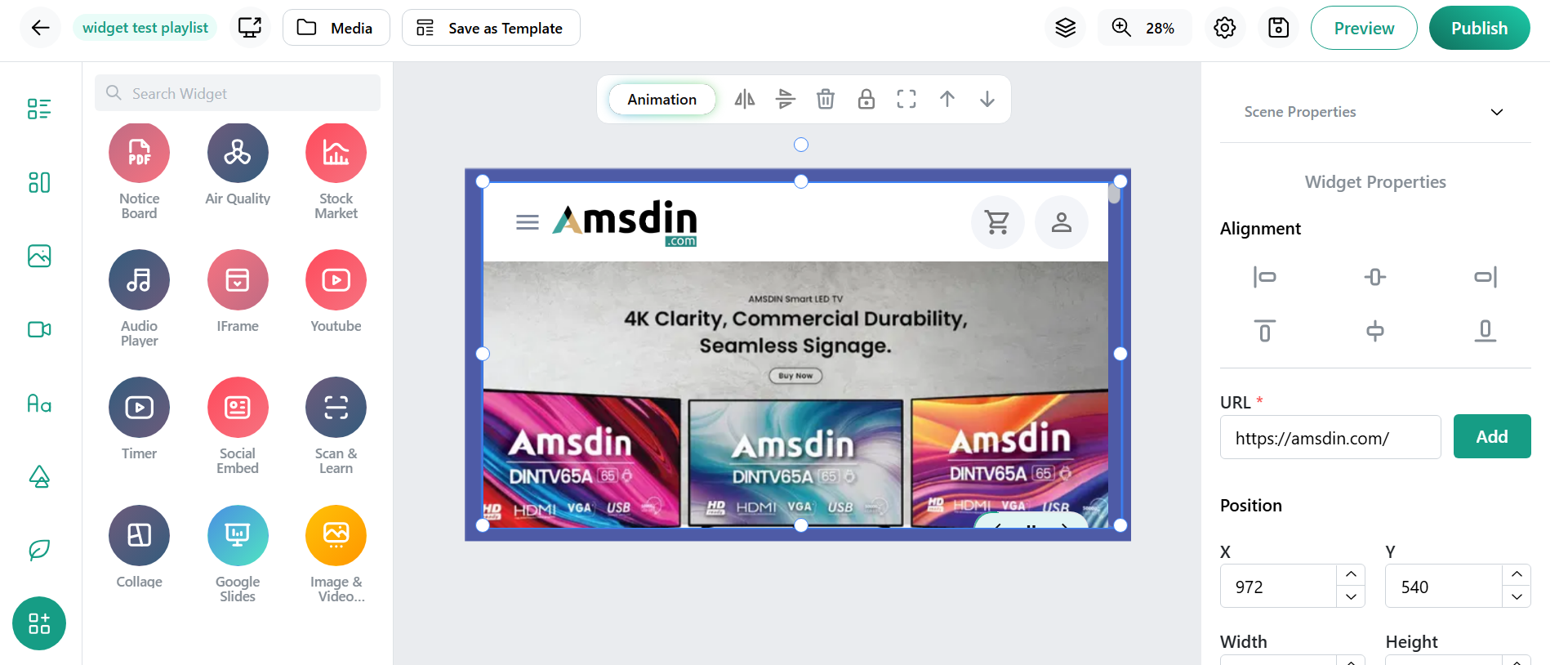
- Add the iFrame Widget to your digital signage layout from the widget library.
- Enter the URL of the webpage or application you want to embed.
- Adjust sizing and display parameters to fit your content strategy.
- Preview the embedded content to ensure correct display and functionality.
- Publish and manage your signage, with the iFrame updating live as its source changes.
Conclusion
The iFrame Widget is an indispensable component for digital signage platforms seeking to expand their content horizons beyond static media. By embedding real-time web pages and interactive applications directly into signage displays, it empowers businesses to deliver fresh, relevant, and engaging content effortlessly. Whether showcasing live data, social feeds, or custom web tools, the iFrame Widget enhances the adaptability and richness of your digital signage, ensuring your message stays dynamic, responsive, and impactful.