
Powerful Text Widget on Studio.Amsdin.com: Dynamic Messaging Made Simple and Impactful
Unlock the Potential of Text Content with the Text Widget
The Text Widget is an essential tool for digital signage, enabling users to display customizable text messages, titles, captions, countdowns, and social media information with dynamic visual effects. From static text to animated scrolling banners, this widget allows businesses to communicate timely information or branding messages clearly and stylishly.
Key Features of the Text Widget
- Multiple Animation Effects: Choose from marquee scrolling, fading, typing, and bounce effects to enhance text engagement and visual appeal.
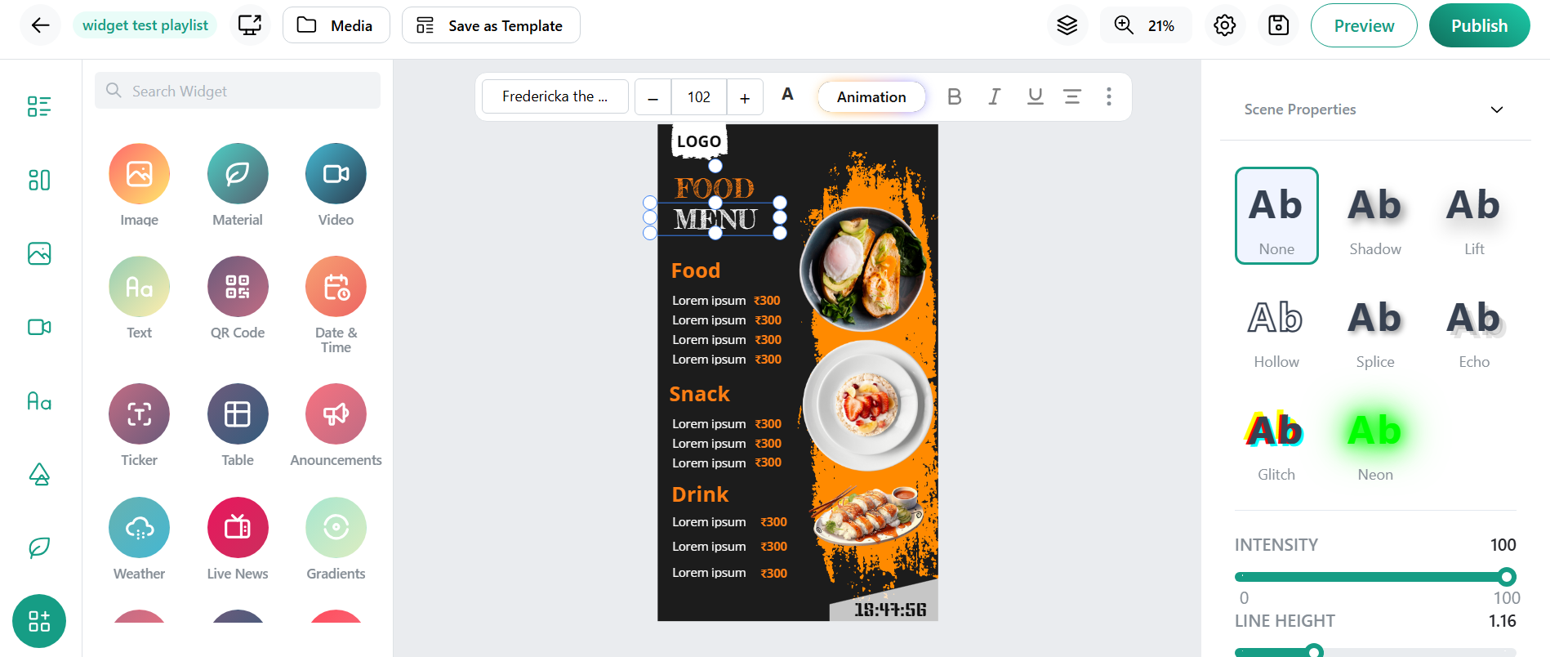
- Customizable Typography: Select font styles, sizes, colors, and alignment to ensure your messages stand out and consistently reflect your brand identity.
- Multi-Language Support: Supports multiple languages and font sets, suitable for diverse and global audiences.
- Dynamic Content Integration: Include countdowns, timers, real-time clocks, and social media handles to create interactive and live content.
- Flexible Display Options: Text can be set to remain static, scroll continuously, or appear and disappear with smooth animations.
- Background and Border Styling: Customize backgrounds, transparency, colors, and borders to enhance text readability across different screen designs.
- Positioning & Resizing: Drag and drop text blocks anywhere on your layout with adjustable size for perfect placement.
- Rich Editing Tools: Easy-to-use editors allow formatting and styling without any coding expertise, making content creation simple and accessible.
How to Implement the Text Widget
- Login to Studio.Amsdin.com : Access your digital signage dashboard.
- Select the Text Widget: Find and add it from the widget library into your display layout.
- Enter Text Content: Type or paste your message, titles, captions, or countdown codes.
- Choose Animation & Style: Select animation effects and customize fonts, colors, and alignment according to your branding.
- Position and Resize: Drag your text block to the desired location and adjust size for optimal visibility.
- Preview Content: Check text appearance and animations, making adjustments as necessary for clarity and aesthetics.
Benefits for Businesses and Organizations
- Provides concise, easily readable text messages that communicate key information quickly.
- Animated and scrolling effects draw attention and keep audiences focused on the message.
- Perfect for announcements, promotions, alerts, social media handles, event countdowns, and more.
- Customization options ensure all text aligns with corporate branding and visual identity.
- Supports diverse audiences in global or multicultural settings.
- Intuitive editors empower marketing and communication teams to update messaging without technical assistance.
- Digital text eliminates printing costs and allows for instant campaign changes, maximizing ROI.
- Ideal for any size network, from single displays to enterprise-level multi-screen deployments.
- Works seamlessly alongside videos, images, and other widgets to create balanced, engaging content layouts.
Conclusion
The Text Widget available through Studio.Amsdin.com is a versatile, powerful tool that enables organizations to communicate dynamically and clearly across digital signage networks. By offering a wide range of customization, animation, and dynamic features, this widget enhances message visibility, audience engagement, and brand consistency. Its user-friendly interface and flexibility make it an indispensable asset for any business seeking to maximize the impact of their digital displays.