
Real-Time Date & Time Display for Digital Signage: Flexible Formats and Styles
Enhance Your Displays with the Date & Time Widget
Clear, accurate date and time displays are essential for effective communication across corporate, retail, public, or educational environments. The Date & Time Widget brings this vital information to any digital signage, offering separate options for displaying just the date, just the time, or both—ensuring your audience always stays in sync.
Key Features of the Date & Time Widget
- Dual Options: Choose to display only the current date or only the time, or present both together in a single or split layout.
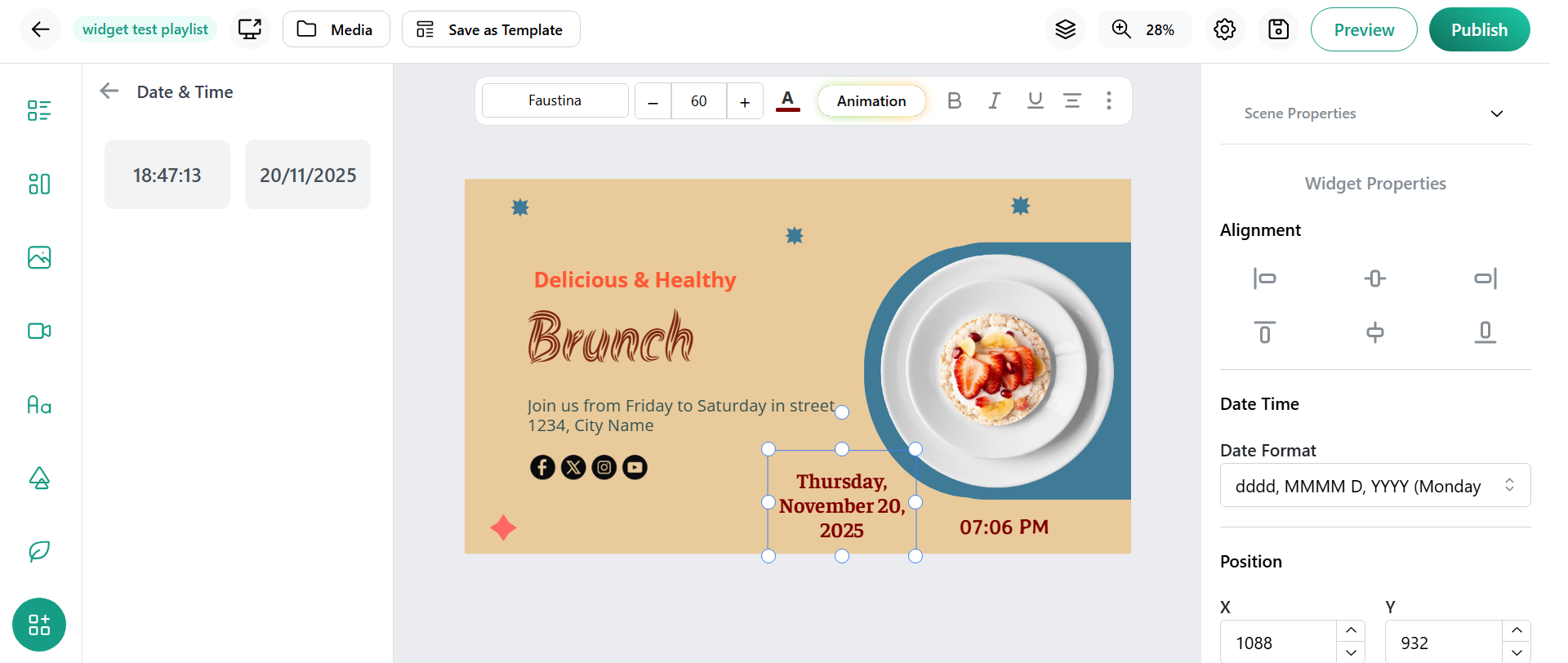
- Multiple Formats: Customize date (day/month/year; month DD, YYYY) and time (12/24 hour, with or without seconds) formatting for local preferences.
- Timezone Adaptability: Select or auto-sync the widget’s timezone to reflect local or global time accurately.
- Styling and Theme Control: Adjust font size, weight, color, background, and layout zone for seamless integration with your brand design.
- Automatic Updates: The widget continuously updates, requiring no manual refresh for real-time accuracy.
- Responsive Sizing: Fits into any zone on your signage, from corner clocks to full-screen date displays.
- Analog or Digital Displays: Choose a classic analog clock look or a modern digital display to match your visual style.
Benefits for Businesses, Campuses, & Venues
- Promotes punctuality and schedule adherence by making the date and/or time highly visible throughout common areas.
- Supports time-sensitive messaging by synchronizing with local or custom time zones and formats.
- Reduces confusion across international teams or multi-location networks by displaying local context.
- Enhances brand visibility and professionalism with customizable design to fit any signage theme.
- Works with other widgets, such as calendars, events, or alerts, for complete at-a-glance information.
How to Use the Date & Time Widget
- Select the Date & Time Widget from your digital signage platform’s library.
- Choose between displaying date, time, or both, then set your preferred formats.
- Customize appearance—set font, color, background, and placement in your signage layout.
- Publish and preview—your screens now keep everyone precisely informed, all day, every day.
Conclusion
The Date & Time Widget is a foundational utility for any digital signage deployment, providing reliable, real-time information in customizable formats. By offering both date and time options with advanced formatting and design controls, this widget ensures your displays remain clear, timely, and visually integrated—no matter the environment. It’s a small but essential addition that delivers high value, keeping audiences informed and on schedule around the clock.