
Scan & Learn Widget: Transform Interactive Learning with QR Codes on Digital Signage
Enhance Customer Engagement with the Scan & Learn Widget
The Scan & Learn Widget revolutionizes product display and customer interaction by linking barcode scans to curated image carousels. When a barcode is scanned, a dynamic carousel of images associated with that product begins playing on your screen, enabling a self-guided, immersive exploration of product features, variations, and uses.
What Is the Scan & Learn Widget?
This widget allows users to upload barcodes and associate multiple images with each barcode. During usage, scanning a barcode triggers an image carousel automatically on the display, cycling through the related images for that product. It is especially useful for retail environments, trade shows, and interactive kiosks that want to offer in-depth visual product information.
Key Features
- Barcode-Image Linking: Assign one barcode to multiple images that represent different angles, features, or variants of the product.
- User-Driven Interaction: Customers or users scan the barcode themselves to activate the image carousel.
- Customizable Carousel Settings: Control the number of images, duration per image, and transition effects for a seamless viewing experience.
- Real-Time Responsiveness: Instant launch of the carousel upon scanning keeps viewers engaged without delays.
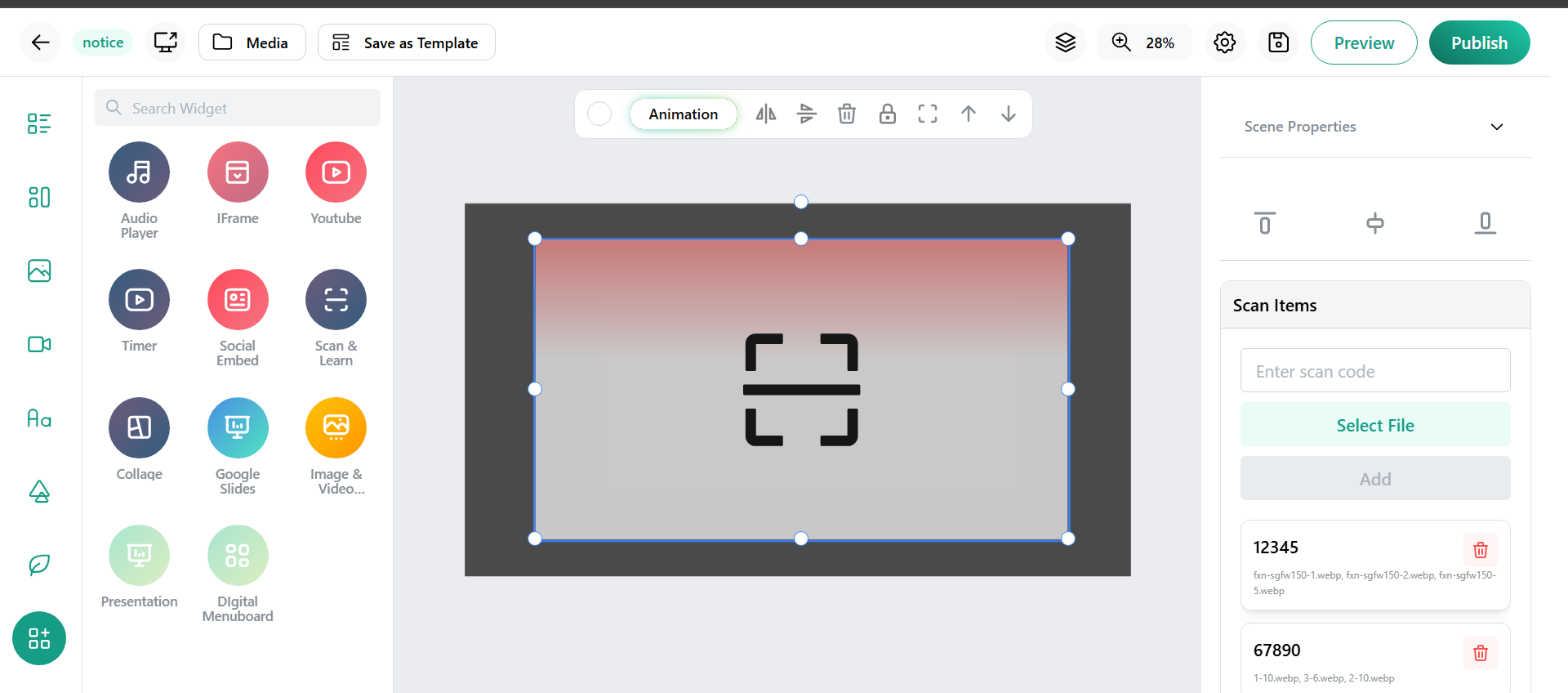
- Easy Setup: Add barcodes and image groups quickly through the widget configuration panel.
- Versatile Usage: Ideal for showcasing product demos, catalogs, new arrivals, or promotional offers.
- Integration Friendly: Can be combined with other digital signage widgets for richer, multi-dimensional content.
Benefits for Retailers and Event Organizers
- Transforms passive displays into interactive experiences driven by active user input.
- Boosts customer engagement and product understanding with vivid visual storytelling.
- Reduces the need for physical samples or detailed explanations by sales staff.
- Enables personalized exploration as users choose which products to scan.
- Ideal for crowded retail spaces or exhibitions where multiple products need distinct showcases.
How to Set Up and Use the Scan & Learn Widget
- Select the Scan & Learn Widget in your digital signage platform.
- Enter barcode numbers and associate the relevant product images with each.
- Place the widget and barcode scanning area on your display layout.
- Upon scanning a barcode, the image carousel will automatically start playing relevant images on-screen.
- Update images or barcode associations any time to keep content fresh.
Conclusion
The Scan & Learn Widget is a cutting-edge solution that transforms traditional product displays into highly interactive and engaging digital experiences. By allowing users to enter barcodes linked to a customizable carousel of images, it enables a self-service, immersive way to explore product details and features. This widget not only enhances customer interaction and engagement but also streamlines product visualization without relying on physical samples or extensive staff assistance. With easy configuration and real-time responsiveness, the Scan & Learn Widget is an invaluable tool for retailers, event organizers, and businesses aiming to modernize their digital signage and create memorable user experiences. Adopting this technology elevates your digital displays from passive content to dynamic, user-driven storytelling.