
Visual Impact Amplified: Image Widget for Digital Signage to Showcase Brilliant Slideshows & Standout Displays
Introduce Vibrant Visuals with the Image Widget
The Image Widget is designed to make any digital signage more compelling by easily managing and displaying static images, slideshows, product photos, and branding materials. Whether launching promotional campaigns, enhancing ambiance, or supporting storytelling, this widget provides seamless image integration that elevates the impact of your displays.
Key Features of the Image Widget
- Universal Format Support: Upload and render images in various formats (JPEG, PNG, GIF, and more) with crisp on-screen clarity.
- Intuitive Upload & Organization: Add images directly from your device, cloud storage, or shared network drives, organizing them by folders, playlists, or campaigns.
- Automated Slideshows: Schedule or shuffle groups of images to play as engaging slideshows, with control over display timing and transitions.
- Instant Content Refresh: Update, rearrange, or swap content remotely for time-sensitive promotions without downtime.
- Multi-Screen Distribution: Assign image playlists to specific screens or screen groups, ensuring dynamic coverage across locations.
- Adaptive Display: Images automatically resize and adjust for portrait, landscape, and irregular screen orientations.
- Custom Branding: Add company logos, overlays, borders, or background colors to maintain a consistent brand presence.
- Easy Scheduling: Set images to appear on specified days, times, or during special events for strategic content management.
Why Use the Image Widget?
- Catch attention instantly with high-resolution product shots, event photos, or inspirational visuals.
- Give marketing teams control to update displays instantly for flash sales, announcements, or seasonal look changes.
- Support branding by distributing logos, identity graphics, and promotional content uniformly.
- Reduce manual workload with cloud-based image uploads and batch scheduling.
- Share visuals across multiple sites, supporting both centralized and local campaigns.
How to Implement the Image Widget
- Log in to our signage management platform i.e. studio.amsdin.com and now select the Image Widget.
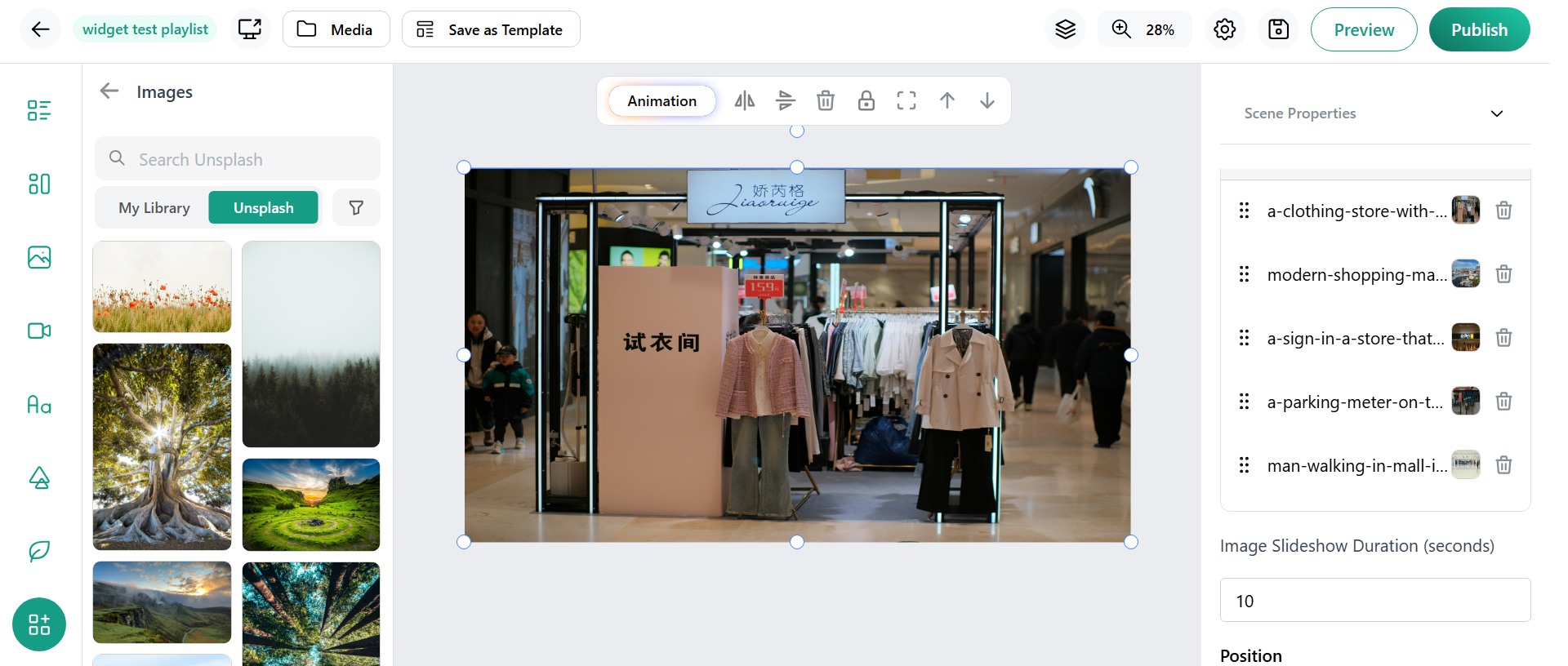
- Upload images from your device in your created playlist.
- Customize display layouts, transitions, and timing for each image or folder.
- Preview slideshows and static displays; schedule them for automatic updates.
- Publish directly to the digital screens of your choice—for instant engagement and visual impact.
Conclusion
The Image Widget transforms ordinary screens into stunning visual showcases, offering powerful tools for image management, scheduling, and branded display. With automated playlists, instant updates, and adaptive layouts, businesses and venues can create memorable experiences that really stand out. Integrating the Image Widget into your digital signage strategy ensures content stays fresh, relevant, and visually dynamic—fully capturing your audience’s attention in any setting.